How to use Tronergy — step by step
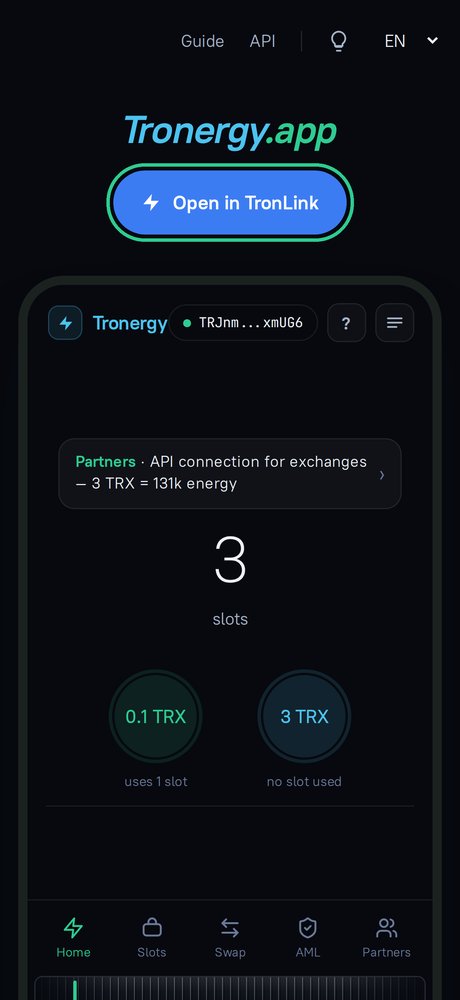
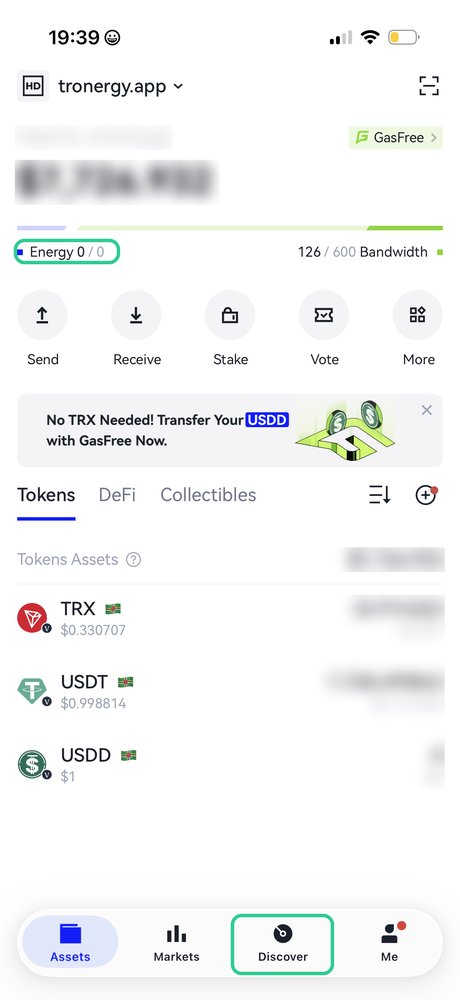
From opening the app to sending USDT takes six steps. On the screenshots the green frame shows where to tap and what to look at.
Step 1. Open Tronergy in TronLink
Tronergy runs inside the TronLink wallet. Two ways to get there:
From the website: open tronergy.app in your phone browser and tap “Open in TronLink” — the wallet opens the app for you.
From the wallet: in TronLink go to the “Discover” tab at the bottom and type tronergy.app in the search bar.
Step 2. Connect your wallet
TronLink asks whether to give the site access to your wallet address. Tap “Approve”.
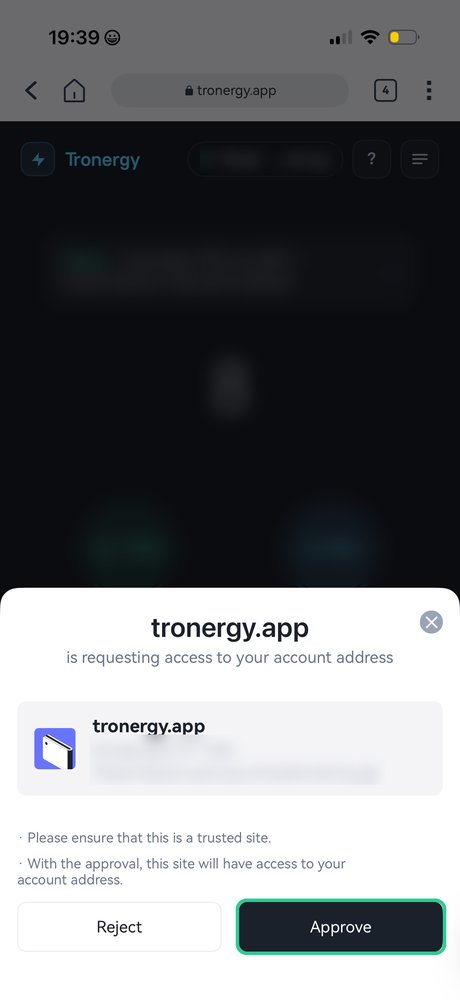
The app only sees your address. Your keys and funds stay with you — nothing happens without your confirmation.
Step 3. Main screen
In the center is the number of your slots. A slot pays for getting energy for 0.1 TRX: one issue uses 1 slot. New wallets get a few slots for free; after that you can buy more in the “Slots” tab. Slots never expire.
Below are two energy buttons:
“0.1 TRX” — uses 1 slot. For an active wallet: it should hold a USDT balance and have a normal transfer history.
“3 TRX” — uses no slot, energy arrives on any wallet.
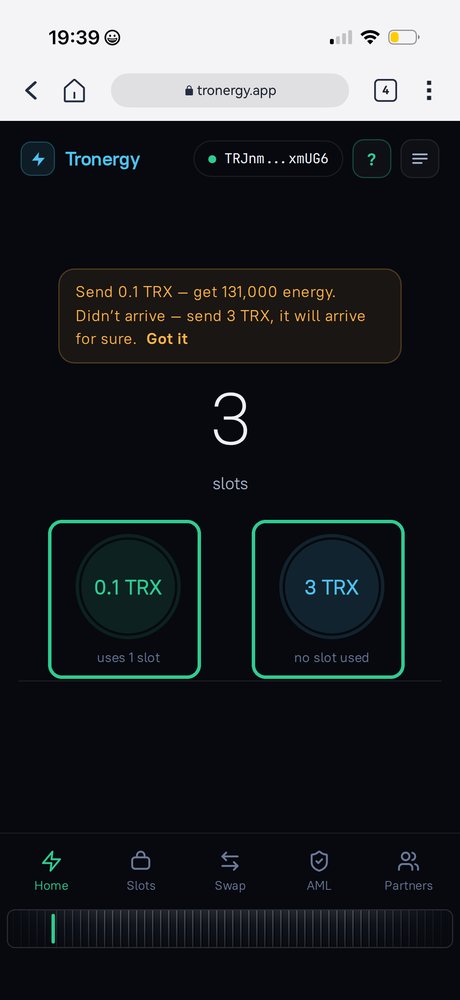
The “?” button shows a hint: “Send 0.1 TRX — get 131,000 energy. Didn’t arrive — send 3 TRX, it will arrive for sure.”
Step 4. Confirm in TronLink
Tap the button you need — TronLink shows a confirmation window. Check the amount and tap “Confirm”, then enter your password or confirm with Face ID.
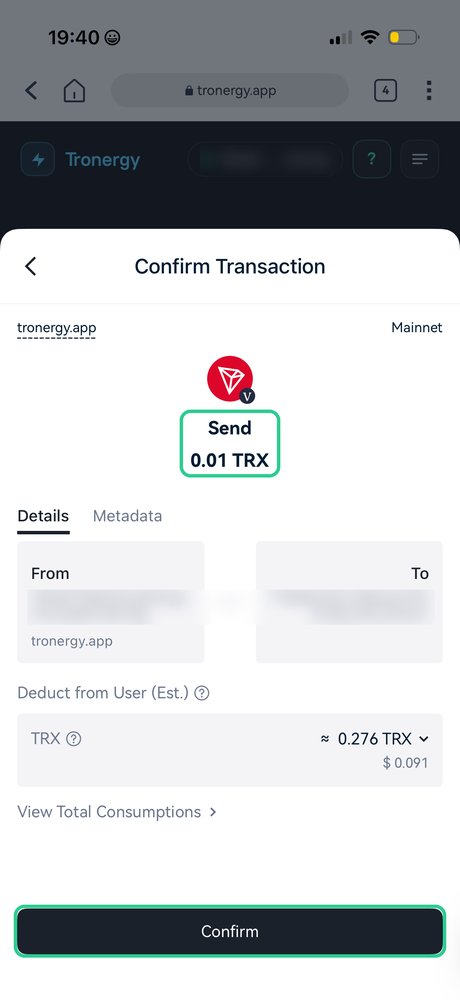
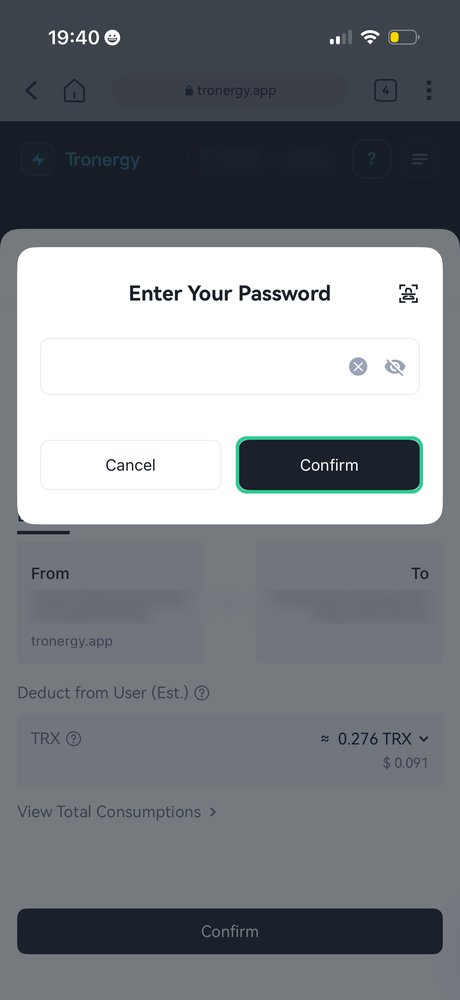
Issuing wallets are assigned at random, and for some of them issuing costs just 0.01 TRX instead of 0.1 — as on the screenshot. The “Deduct from User” line is the network fee for this transaction: while your free daily bandwidth lasts, bandwidth is used; otherwise the network takes about 0.28 TRX. That is a network fee, not ours.
Step 5. Energy has arrived
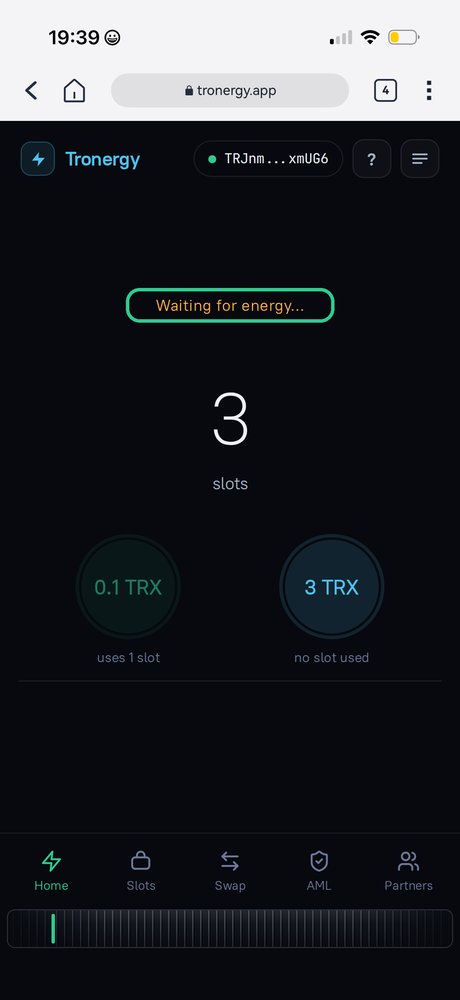
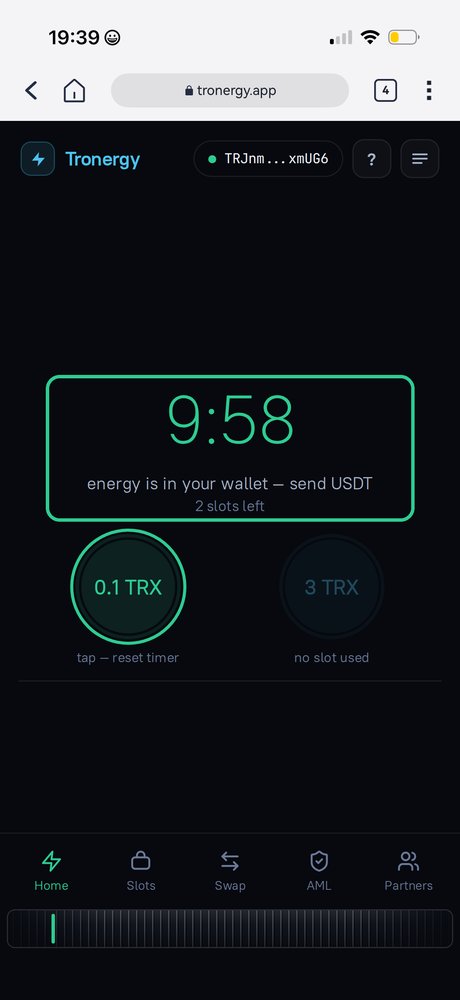
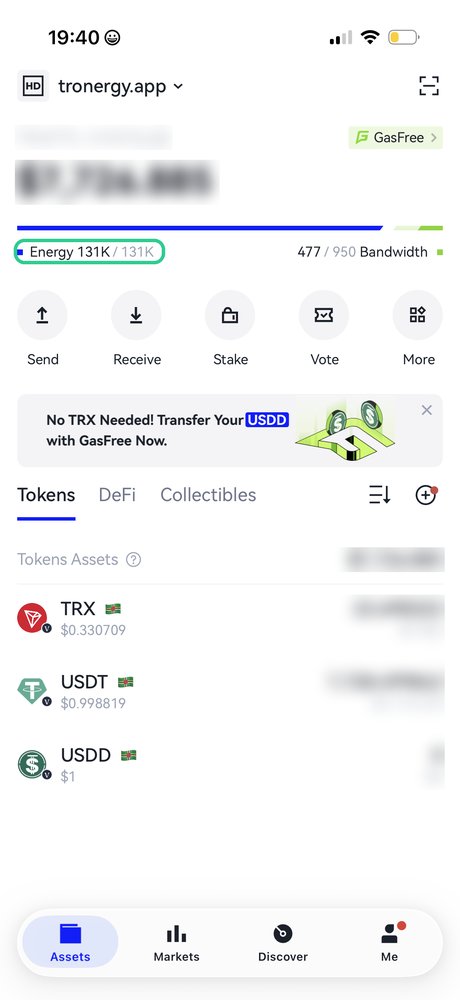
First the app shows “Waiting for energy…”. A few seconds later you’ll see “energy is in your wallet — send USDT” and a timer. Energy stays valid for 10 minutes — send your transfer right away. In TronLink it shows in the Energy line — 131K.
Step 6. Send USDT as usual
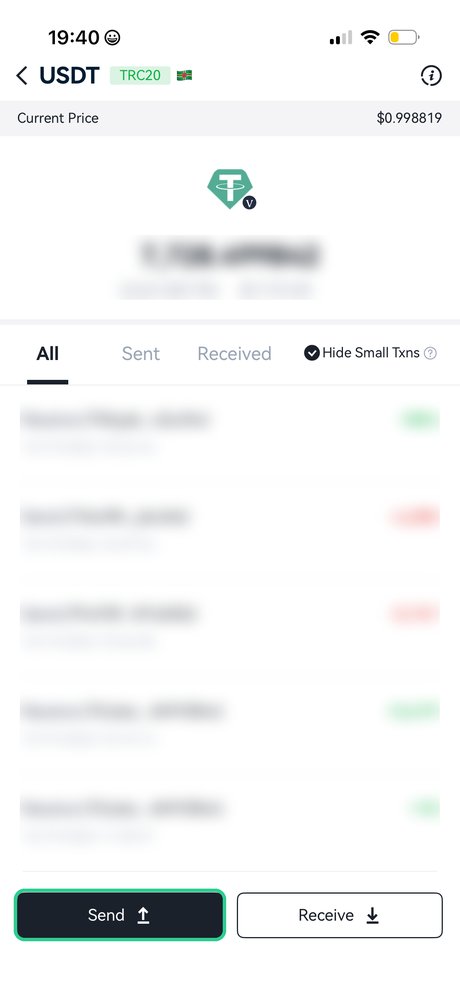
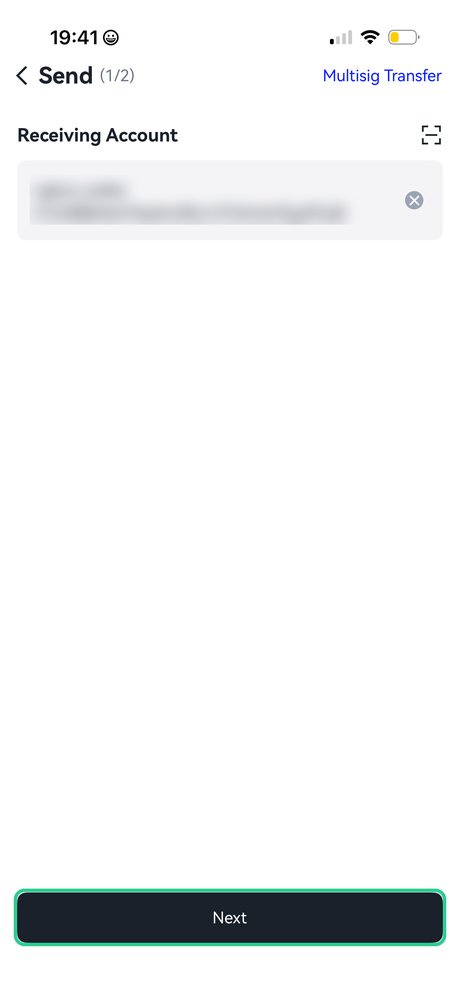
In TronLink open USDT, tap “Send”, enter the recipient address and amount. In the confirmation window TronLink says “Energy payment ratio is 100%” — energy pays the fee. Instead of ~13 TRX you paid 0.1 TRX for energy plus the slot price.
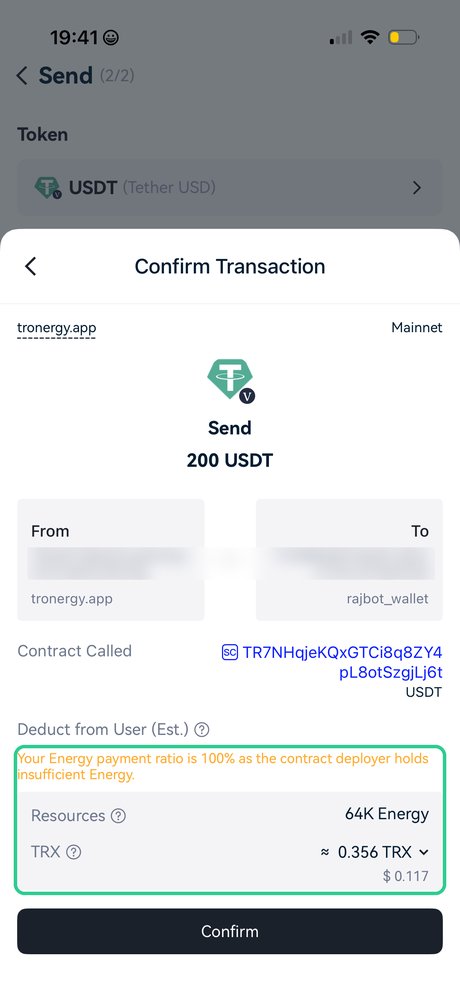
A note on bandwidth: a USDT transfer also uses network bandwidth. If your free daily limit is used up, the network charges about 0.36 TRX for it — shown in the confirmation window. This network fee applies whichever way you get energy.
FAQ
Need another transfer? Again: get energy → send.
Energy for 0.1 TRX wasn’t issued? Tap again — another wallet will issue it. Or take the 3 TRX option — it’s guaranteed. No slot is used when issuing fails.
Need TRX? Buy it for USDT in the “Swap” tab right in the app.
Is it safe? Non-custodial: no transfers to “energy addresses” — you can’t mix up an address, and no approvals or multisig permissions are requested.
Something went wrong? Write to our group @tronergyapp — include your wallet address or transaction hash.